We’re proudly owned and made in Dronfield by people who live here. We cover what’s on this week, the town’s businesses, the deals they offer, news, jobs and more.
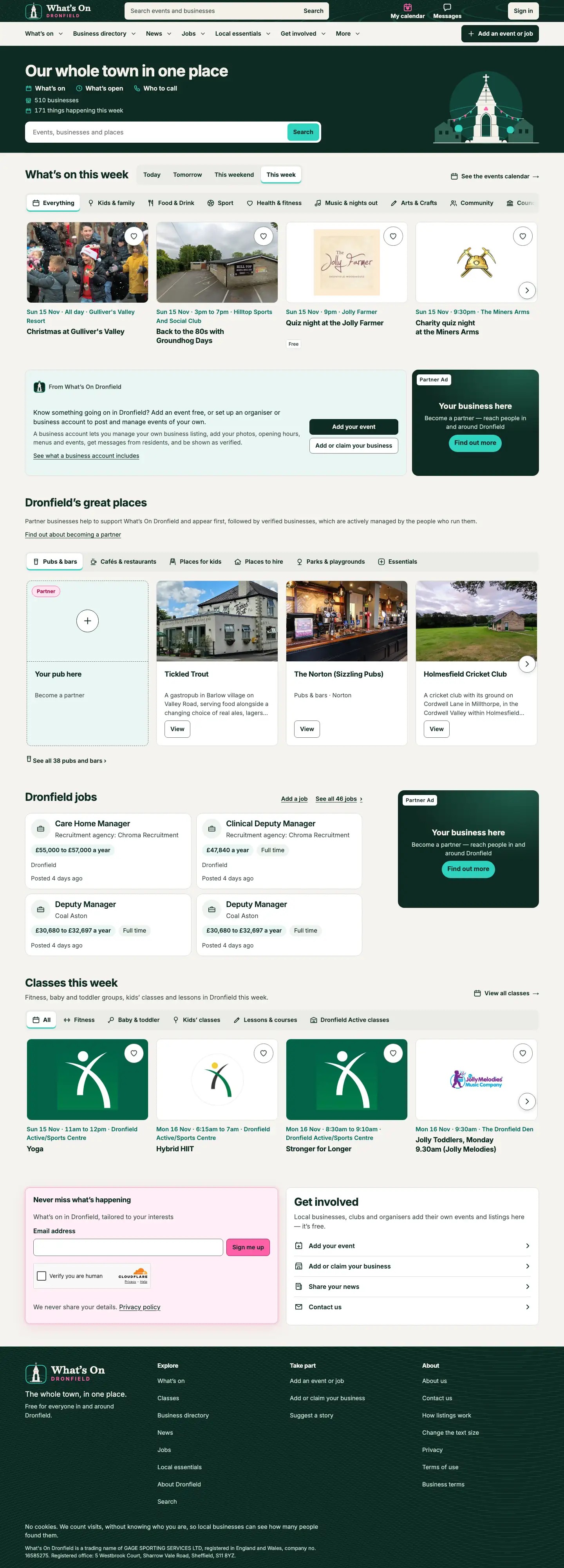
Dronfield residents use the website and app to look for local businesses and to see what interesting events are coming up, and save them to their calendar.
What advertising partners get
Your adverts across the site, in the spaces in this guide, on computers and phones.
Shown first where it matters. Your business appears first when people look through the directory for what you do.
Everything a verified business gets — your own photos, opening hours, menu or price list, deals and messages from residents. See our Add or claim your business page for more about verified businesses.
Custom promotions.Contact us for more about promoting a special event, or taking over the site for a period of time.
See exactly what your adverts do
Every advertising partner has their own stats page, kept up to date as people use the site. For every advert, in every space:
See how many times your advert was shown on a page, and how often it was really seen on screen
See how many times someone tapped your advert to visit you
Each space has a letter. The red box shows where it sits, on a computer and on a phone.
Advert pool
Don’t want a specific spot? Join the advert pool. Your advert is shown at random across the site, taking turns with the other adverts in the pool.
It is shown on 7 other pages across the whole site, and in any space in the list below that has nothing booked that day.
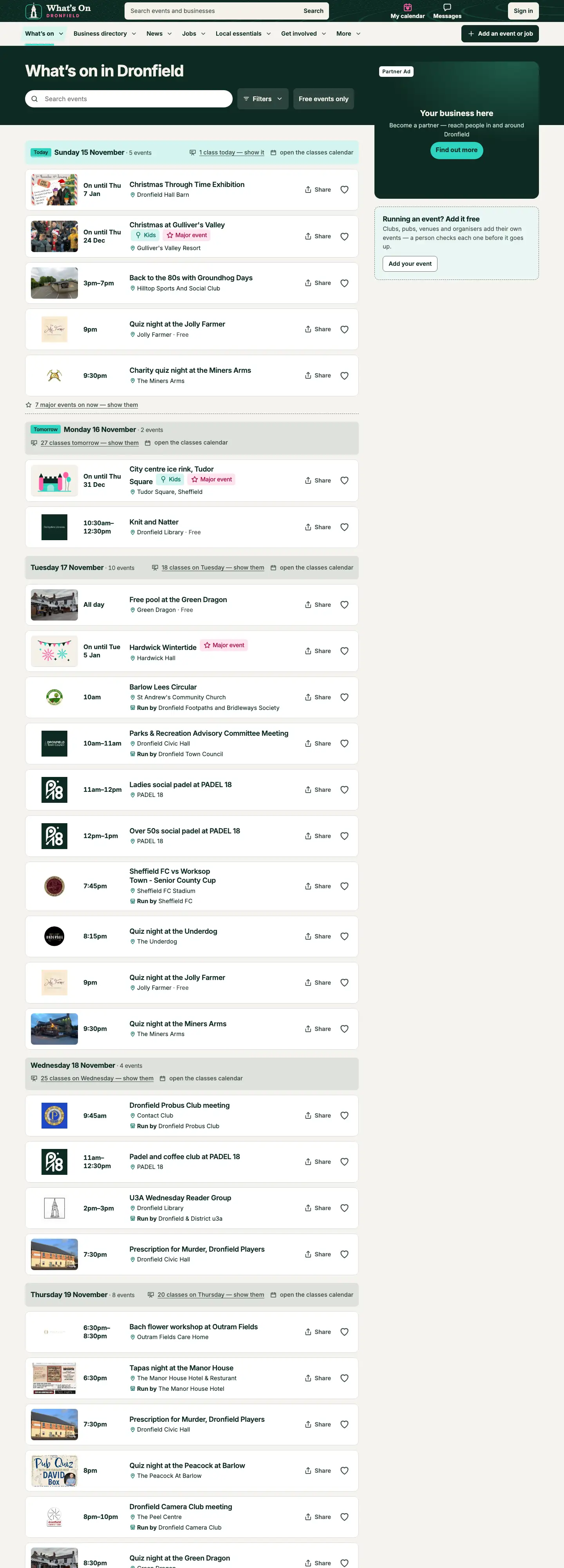
A What's on
In the What's on list: in the right-hand column on a wide screen, and as a card among the events on a phone.
A
What's on, on a wide screen
AAAA
What's on, on a phone
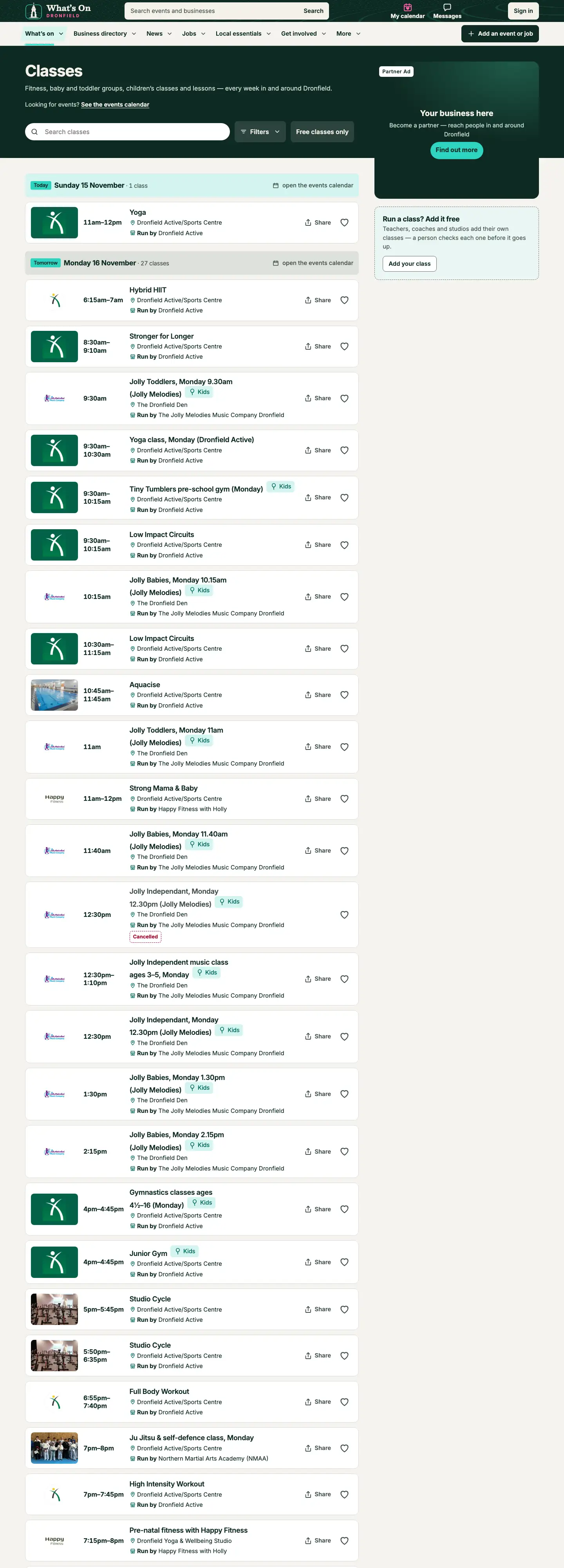
B Classes
In the Classes list: in the right-hand column on a wide screen, and as a card among the classes on a phone.
B
Classes, on a wide screen
BB
Classes, on a phone
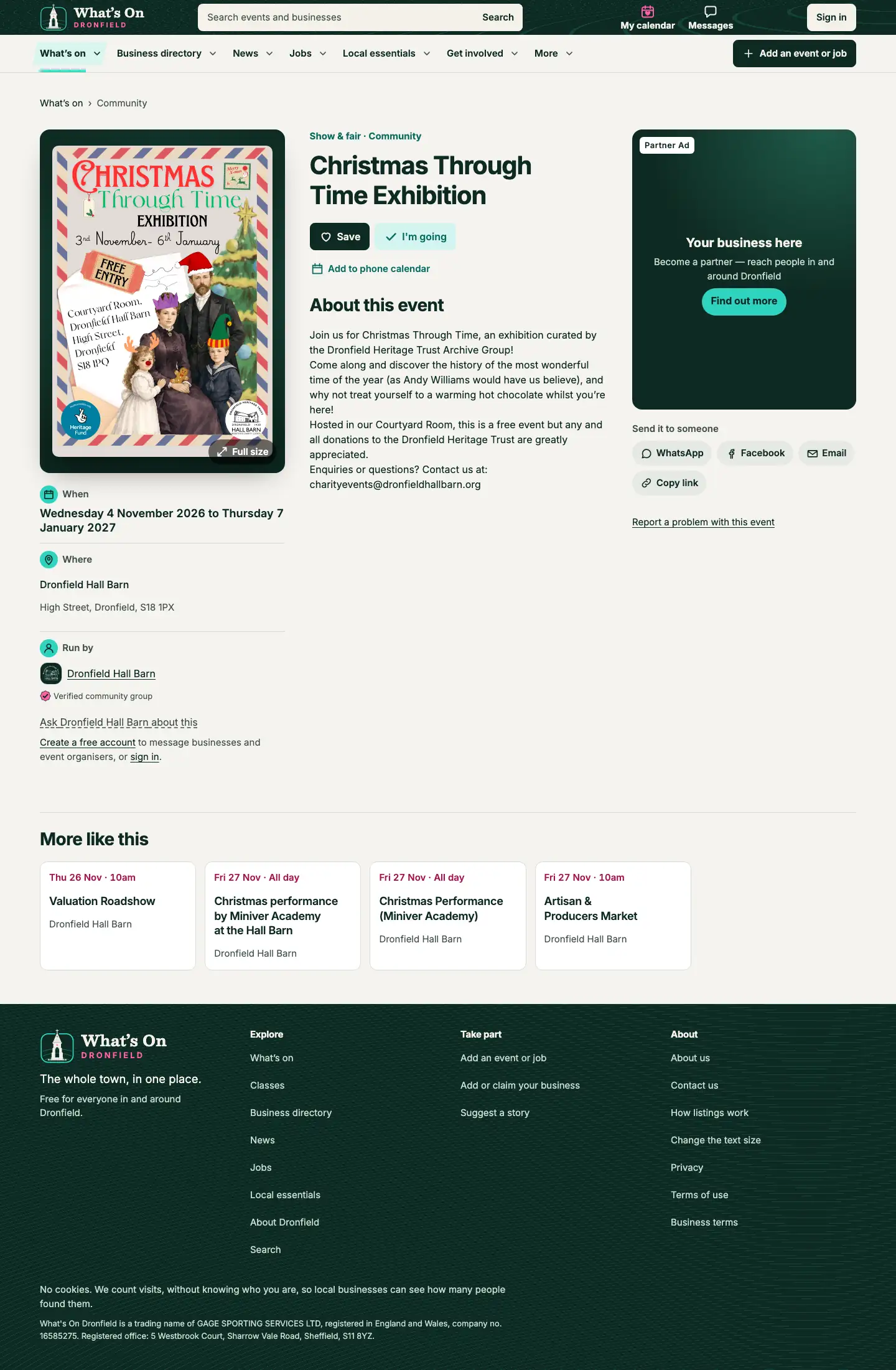
C Event pages
On event pages, down the right-hand side on a wide screen and under the event's details on a phone. Can be kept to events of chosen kinds.
C
An event's page, on a wide screen
C
An event's page, on a phone
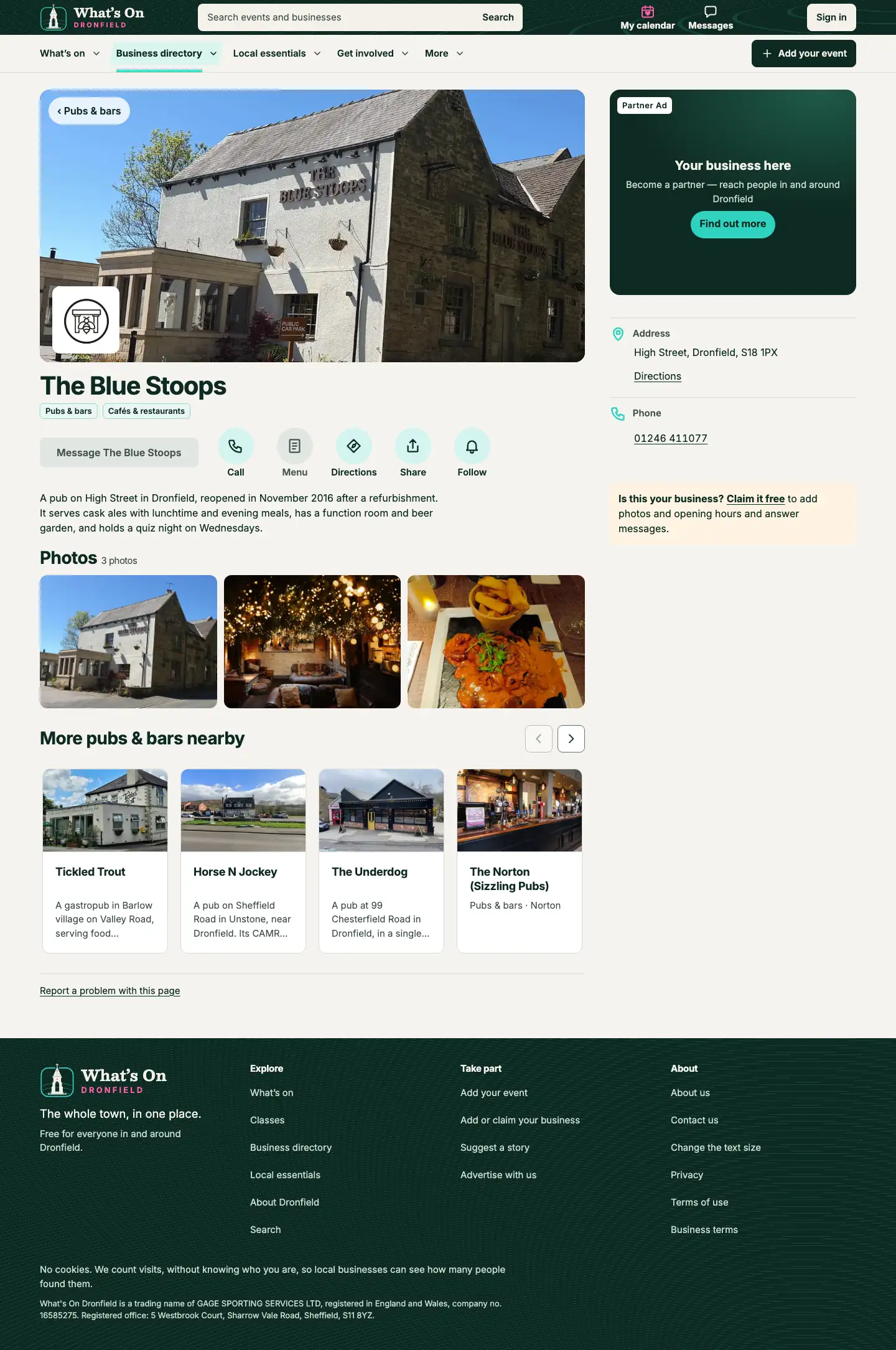
D Business pages
On business pages, at the top of the right-hand column on a wide screen and under the business's details on a phone. Can be kept to chosen headings.
D
A business's page, on a wide screen
D
A business's page, on a phone
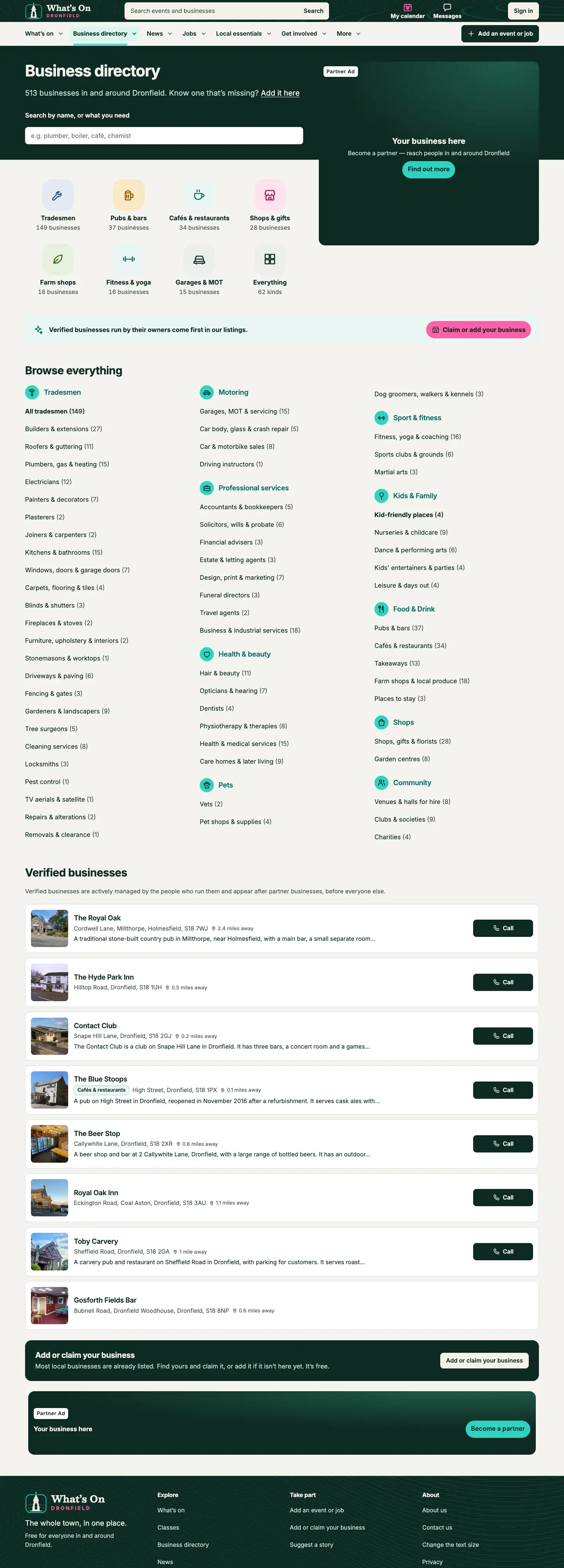
E Business directory, top
At the top of the business directory's front page: beside the title on a wide screen, under the heading tiles on a phone.
EF
Directory front page (sample), on a wide screen
EF
Directory front page (sample), on a phone
F Business directory, foot
A band across the bottom of the business directory's front page.
EF
Directory front page (sample), on a wide screen
EF
Directory front page (sample), on a phone
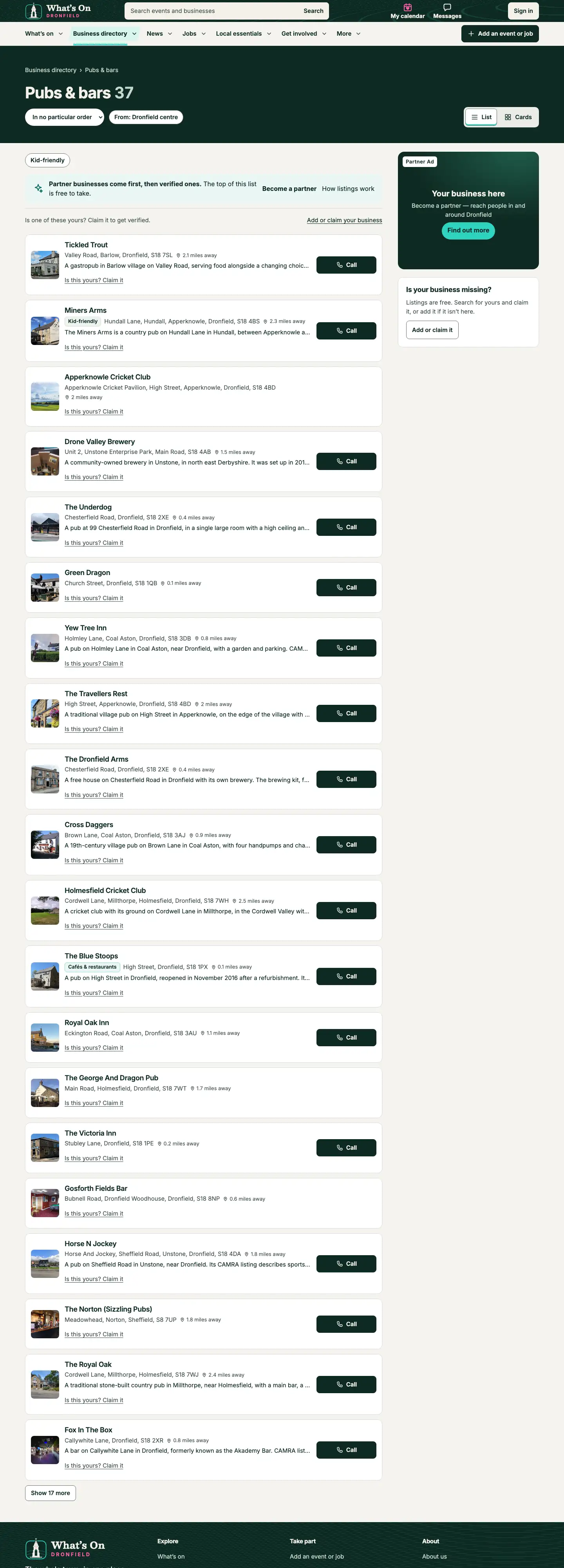
G Directory heading pages
On each directory heading's page (Pubs & bars, Builders and so on), in the right-hand column. Can be kept to chosen headings.
G
A directory heading's page, on a wide screen
G
A directory heading's page, on a phone
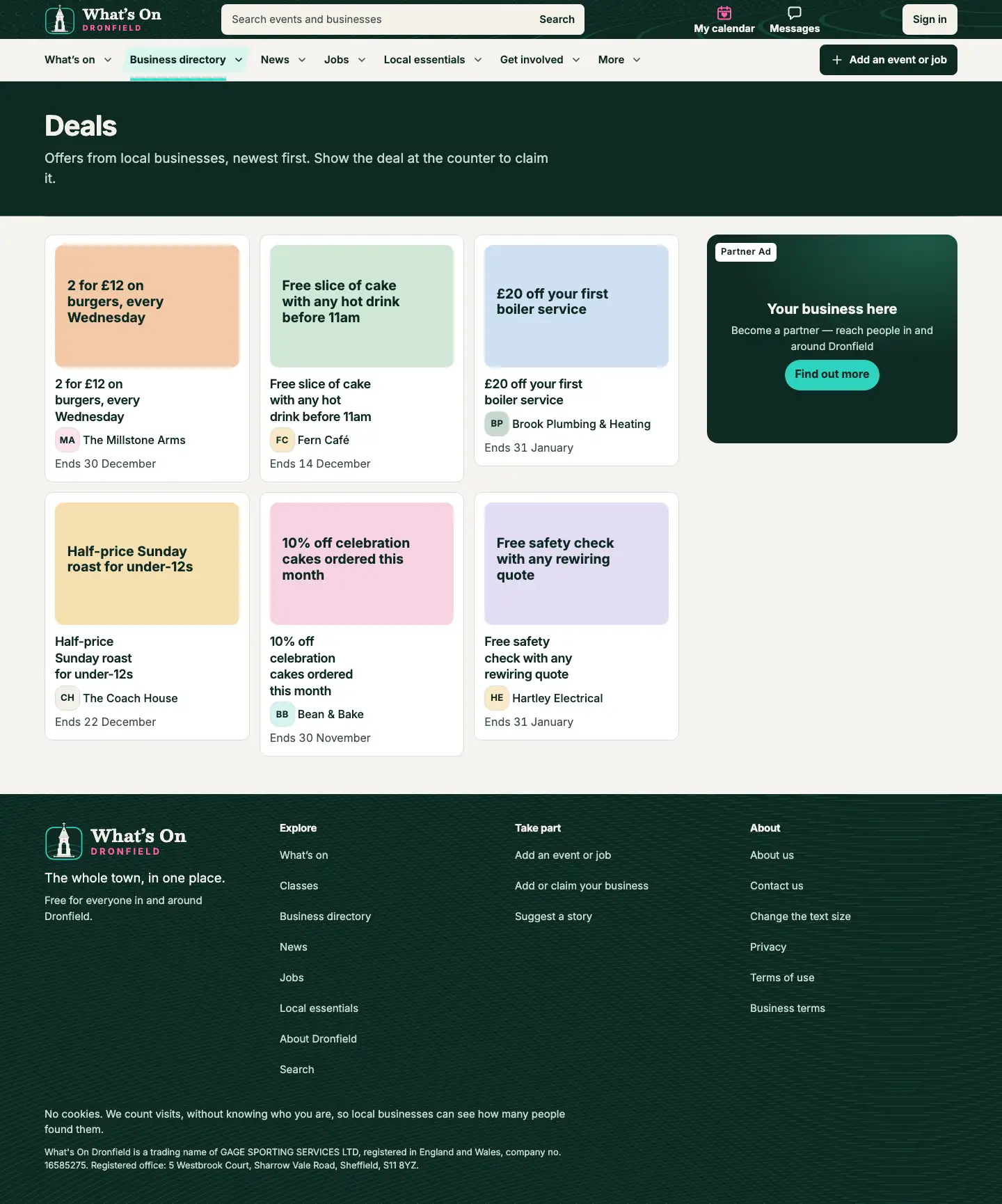
V Deals list
On the Deals page: the right-hand column on a wide screen, after the list on a phone.
V
Deals (sample), on a wide screen
V
Deals (sample), on a phone
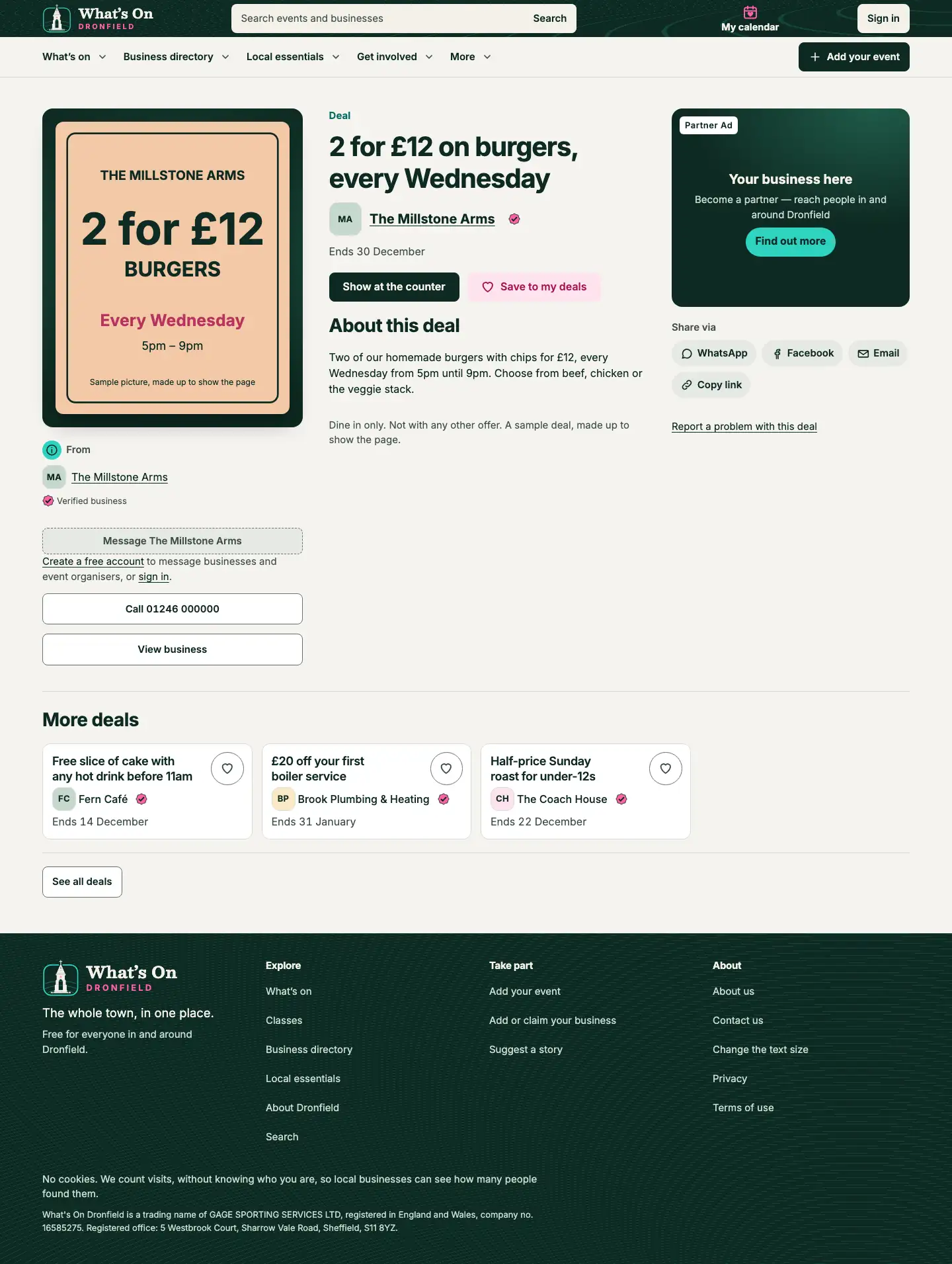
Z Deal pages
On every deal's own page, above the share buttons on a wide screen and under Show at the counter on a phone. Can be kept to chosen headings.
Z
A deal's page (sample), on a wide screen
Z
A deal's page (sample), on a phone
U Home page 1
On the home page, beside our own message under the events. Wide screens only.
UI
Home page, on a wide screen
I Home page 2
On the home page, halfway down: in the right-hand column on a wide screen, a banner across the page on a phone.
UI
Home page, on a wide screen
I
Home page, on a phone
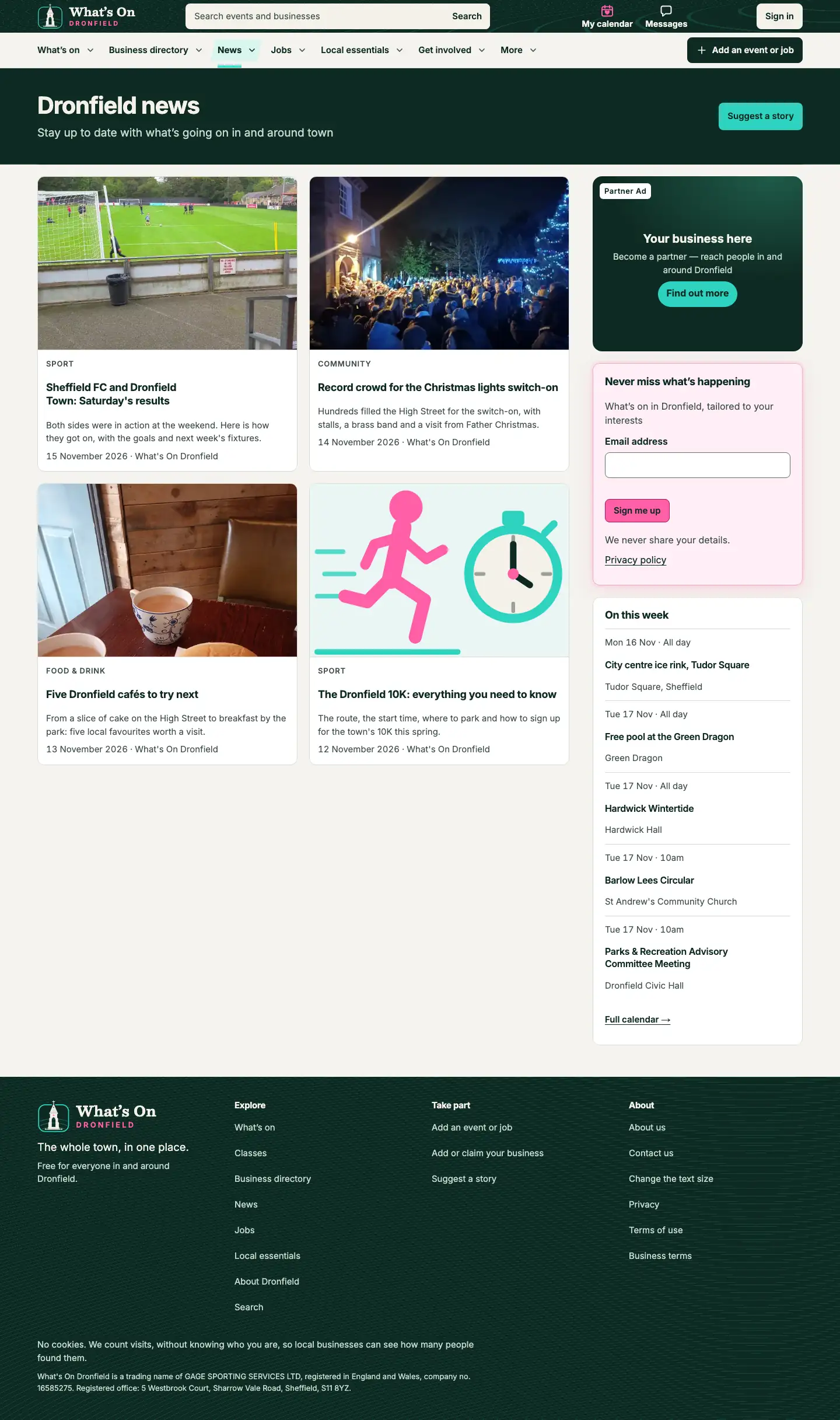
J News pages
On the News page, at the top of the right-hand column.
J
News (sample), on a wide screen
J
News (sample), on a phone
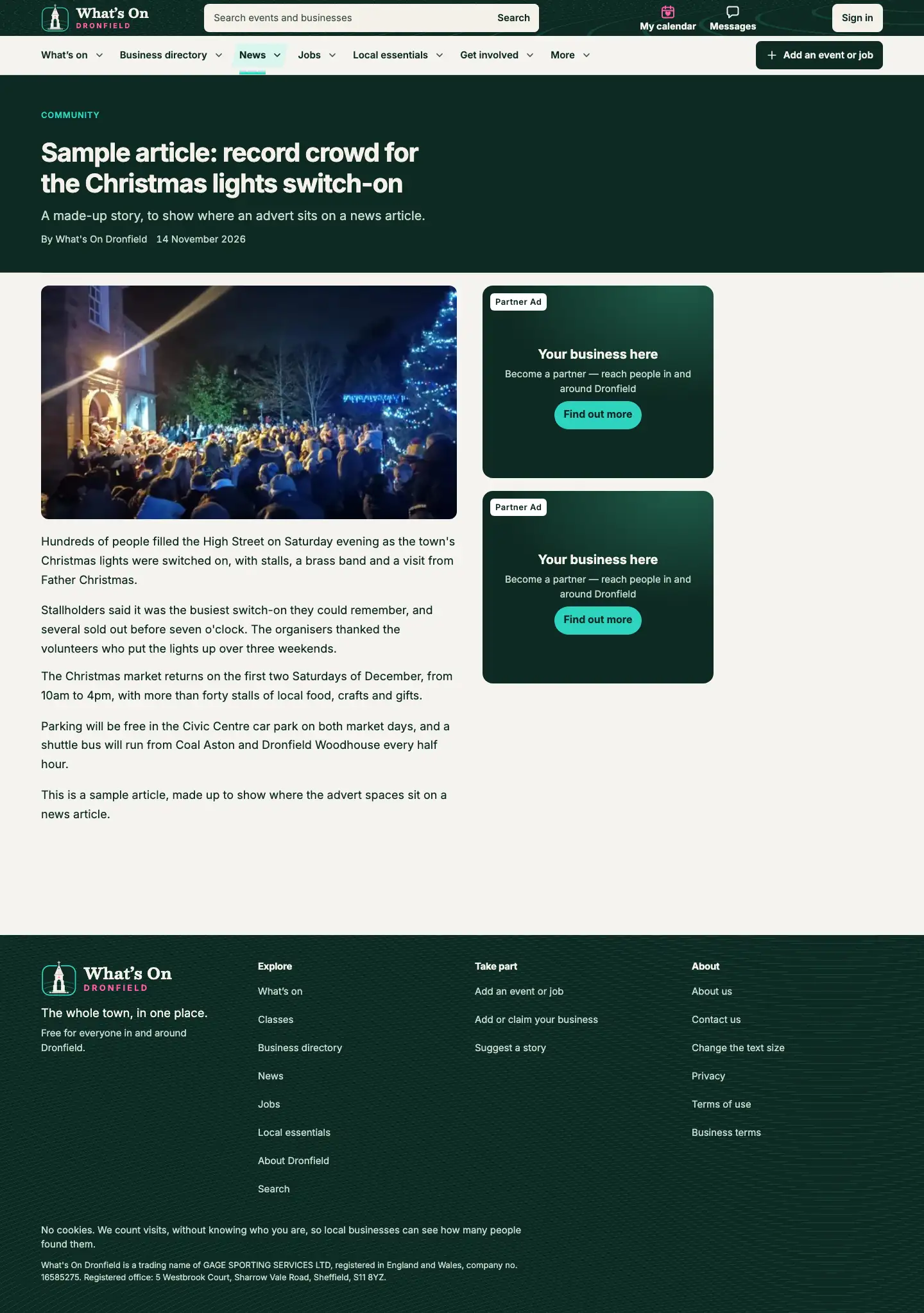
K News article 1
On every news article: the first advert in the right-hand column on a wide screen, in the article on a phone.
KL
A news article (sample), on a wide screen
K
A news article (sample), on a phone
L News article 2
On every news article: the second advert in the right-hand column, under the first one. Wide screens only.
KL
A news article (sample), on a wide screen
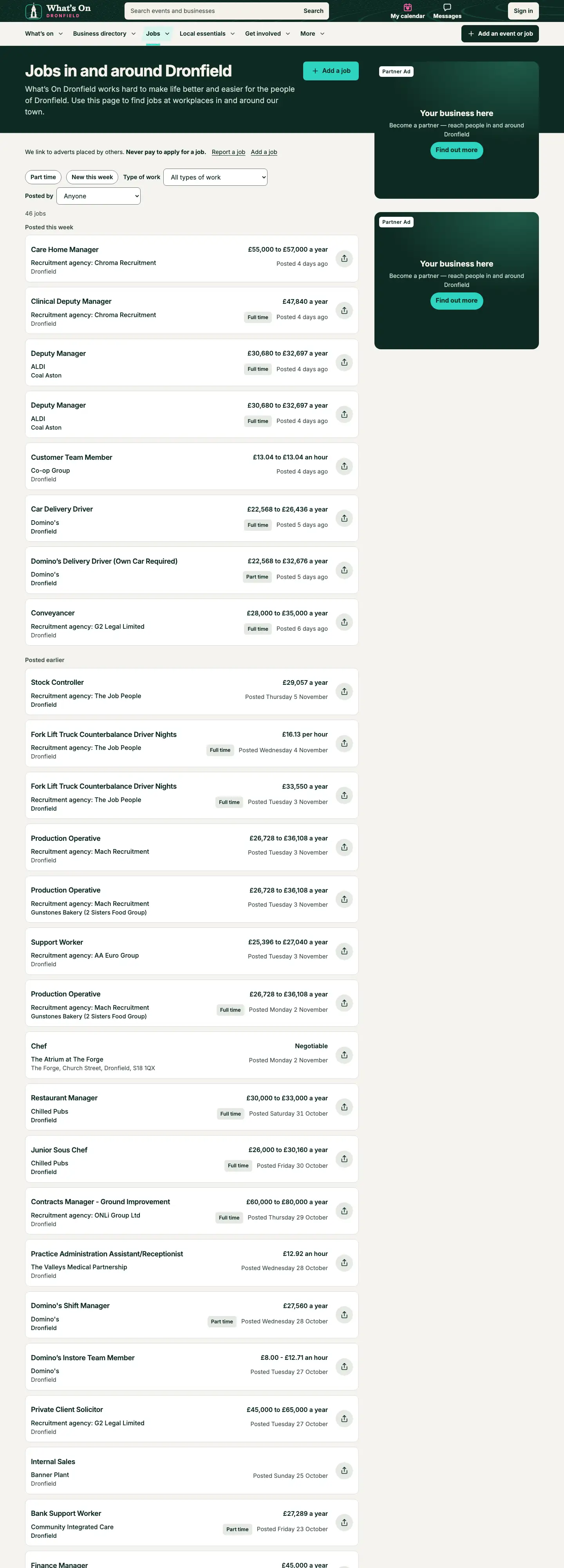
M Jobs list 1
On the Jobs list, at the top of the right-hand column on a wide screen and at the foot of the list on a phone.
MW
Jobs, on a wide screen
M
Jobs, on a phone
W Jobs list 2
On the Jobs list: the second advert in the right-hand column, under the first one, kept in view as the list scrolls. Wide screens only.
MW
Jobs, on a wide screen
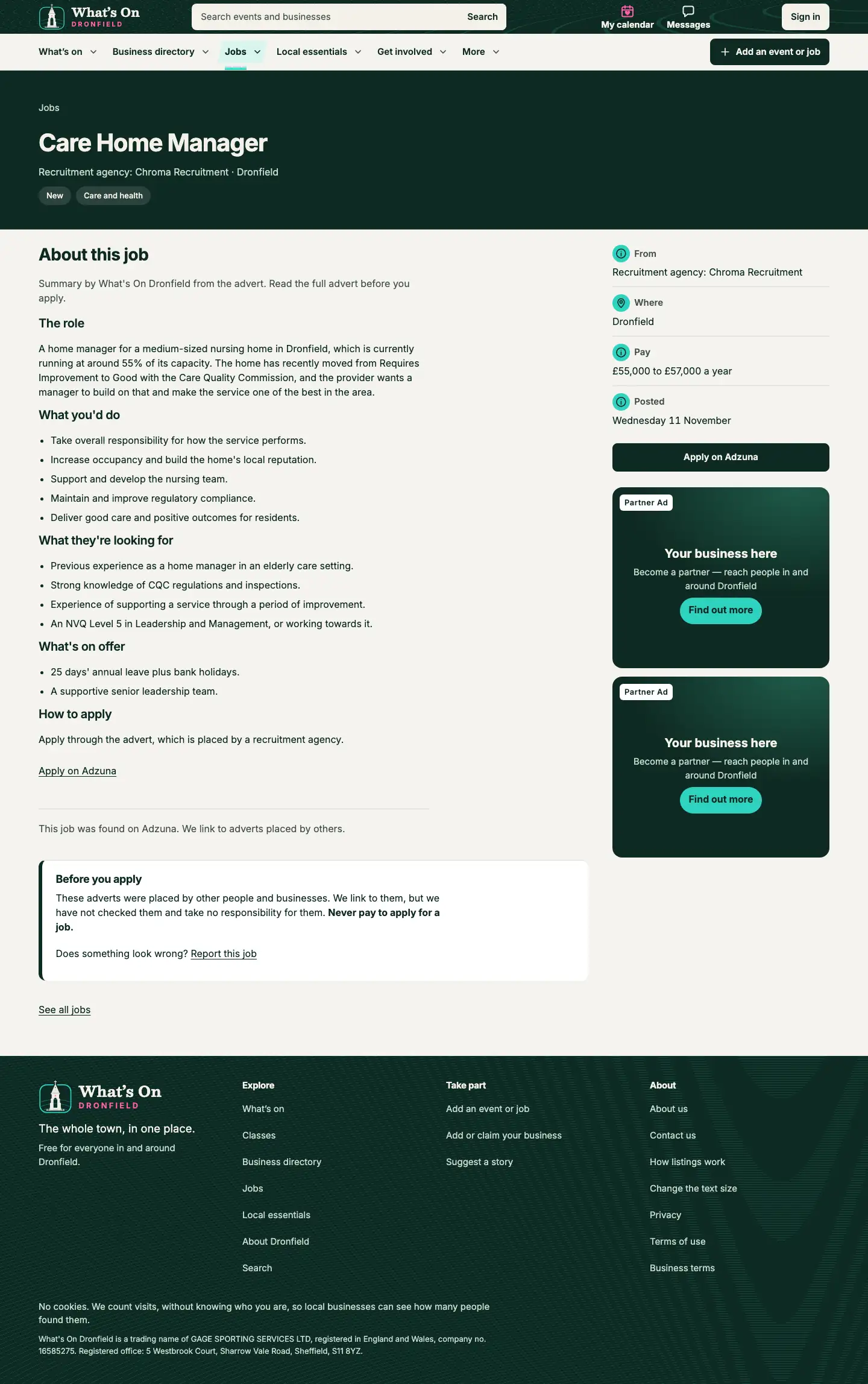
N Individual job page 1
On each job's page, in the right-hand column.
NX
A job's page, on a wide screen
N
A job's page, on a phone
X Individual job page 2
On each job's page: the second advert in the right-hand column, under the first one, kept in view while the job is read. Wide screens only.
NX
A job's page, on a wide screen
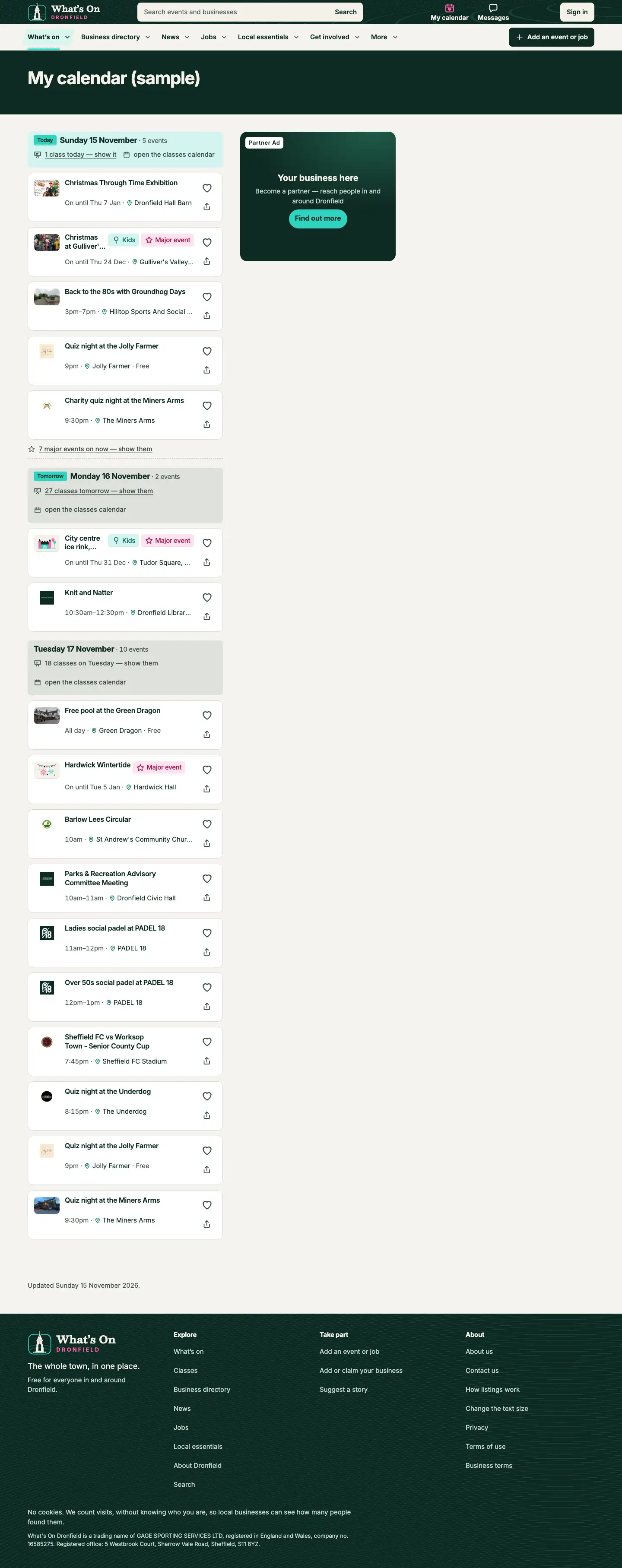
R My calendar
On a signed-in resident's My calendar page, in the right-hand column.
R
My calendar (sample), on a wide screen
R
My calendar (sample), on a phone
Artwork size guide
Send us your advert as a JPEG, PNG or WebP picture, one for each shape your spaces use. We can fit one picture to every shape, but a version for each shape works best.
Keep words and logos away from the edges, so nothing important is trimmed.
Fewer words read better: a phone shows the Card at about the height of an event and a half.
For the advert pool, send all 5 shapes: your advert can land in any space.
Tell us where a tap on your advert should go: your page on What’s On Dronfield, one of your events, or your own website.
Rectangle
Proportion, wide to tall
6 : 5
Best size
720 × 600 pixels
At least
360 × 300 pixels
Spaces
ABDEGVZUIJKLMWNXR
Tall
Proportion, wide to tall
4 : 5
Best size
960 × 1200 pixels
At least
480 × 600 pixels
Spaces
C
Banner
Proportion, wide to tall
16 : 5
Best size
1280 × 400 pixels
At least
640 × 200 pixels
Spaces
EFI
Wide band
Proportion, wide to tall
8 : 1
Best size
1600 × 200 pixels
At least
800 × 100 pixels
Spaces
F
Card
Proportion, wide to tall
2 : 1
Best size
1200 × 600 pixels
At least
600 × 300 pixels
Spaces
ABE
Contact us
Tell us which spaces you’d like and when, and we’ll get back to you.